





Key Takeaways
- If anyone in your family has an allergy, read the full ingredients list and the “may contain” line on the pack every time you buy, because manufacturers change recipes.
- UK food labels must emphasise 14 regulated allergens, and any ingredient derived from them is highlighted in the ingredients list.
- “No added sugar” on a cereal does not mean sugar-free. Some products still contain up to 18 g of sugars per 100 g.
- Traffic-light labels compare fat, saturated fat, sugars and salt per 100 g. A red label means a high level of that nutrient, not that the food is forbidden.
- Use per-100 g figures to compare products, because “good for” wording on a pack is not a guarantee of nutritional quality.
🔎 What the GoodFor app does and why shoppers use it
GoodFor is a barcode-scanning food and drink app for iOS and Android. It gives a 0-100 score, ingredient explanations, recipe and calorie tracking features, and personalisation for families and dietary needs. It is used by thousands of users, mostly to check packaged food in UK supermarkets before it goes in the trolley.
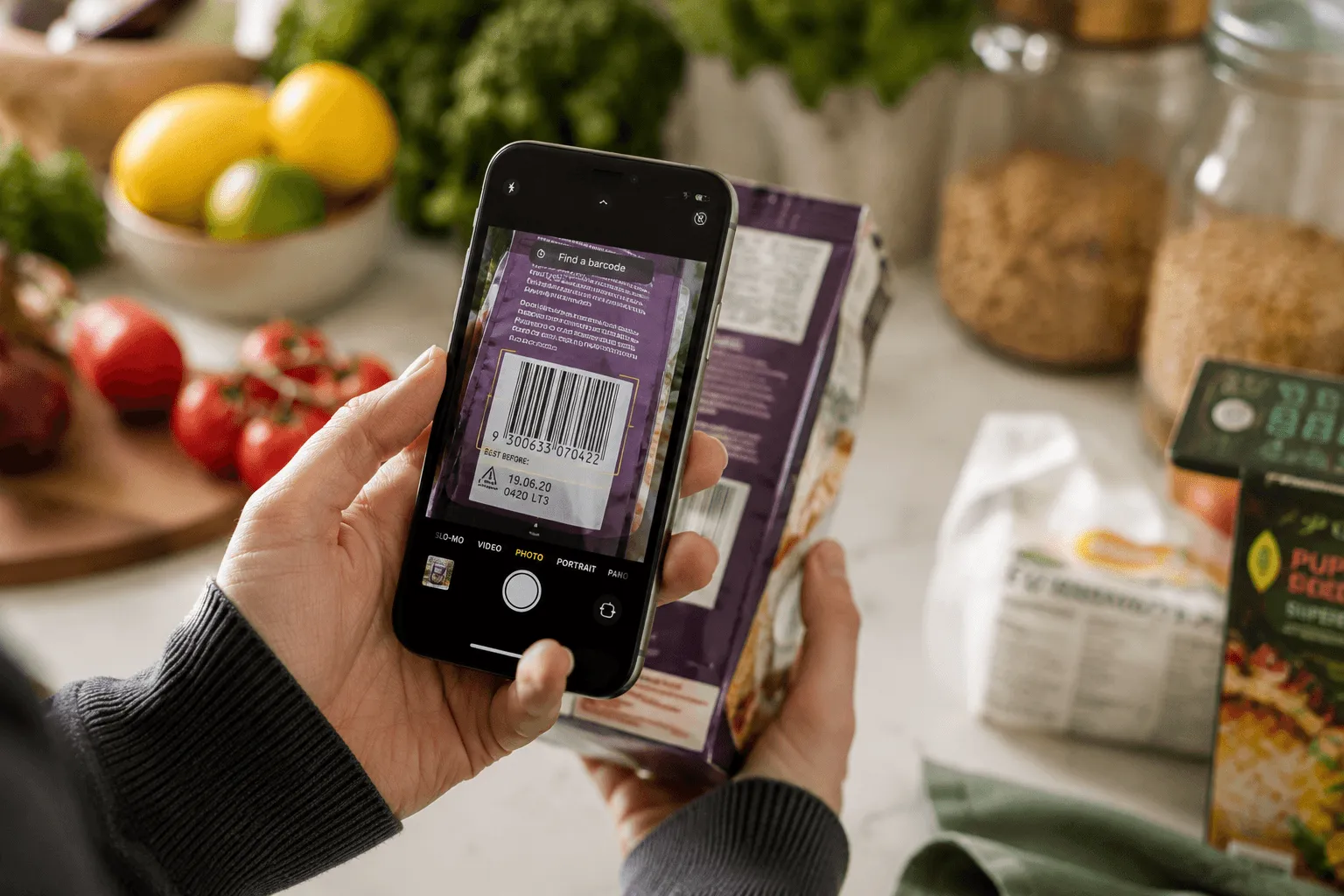
Point your phone at a barcode and you get one clear score and the reasons behind it. Ingredients and additives are explained in everyday words. Allergy and diet settings flag anything that does not fit your household.
The scope is deliberately narrow. GoodFor covers food and drink only, so there is no skincare, cosmetics, household products or pet food. Its allergen information comes from the product’s declared allergens, the same ones UK law requires manufacturers to emphasise.
Treat the app as a fast shortlist tool, because a database can lag behind the shelf.
🚦 How the GoodFor scanner works and scores your food
Scanning a packaged food opens a results screen with a 0-100 score, plain-English ingredient and additive information, allergens and suggested alternatives within seconds. A product with a barcode needs no typing.
The score combines four things:
- nutrition
- how processed the food is
- additive risk
- how well the product matches the profile you have set up
The reasons sit under the number, so you can see which of those pulled it up or down.
Alongside GoodFor’s own score, the scan shows Nutri-Score and the NOVA processing group where they are present for that product. That gives you three views at once: nutritional quality, degree of processing and personal fit.
NOVA groups food by how processed it is, from 1 (unprocessed) to 4 (ultra-processed). GoodFor flags the group on every scan.
Nutri-Score grades the overall nutritional quality of a food from A (best) to E, per 100 g. GoodFor shows it on every scan.
Every ingredient and E number is explained in everyday English. “Emulsifier” or “E471” becomes a short description of what it does and what the research says.
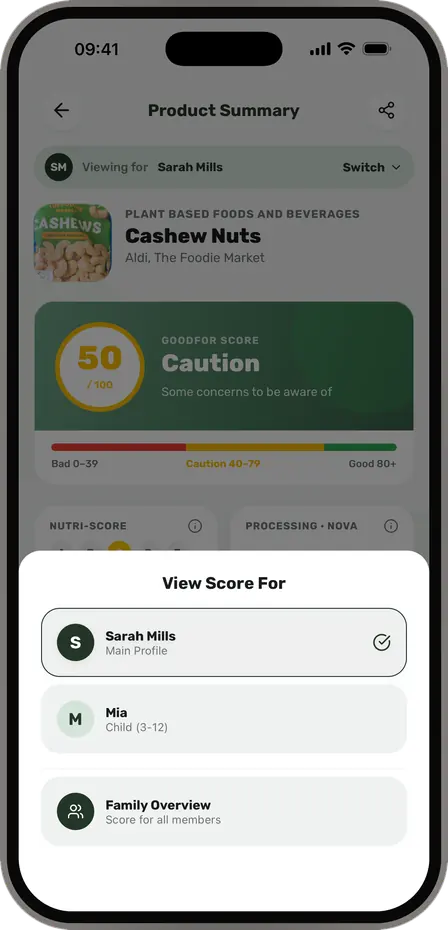
Each profile holds allergies, intolerances, dietary preferences and who it is for. A product that scores well for one person can be flagged for another, and the app suggests a better fit from the same store.
🛒 Features in the GoodFor app for UK families
GoodFor offers barcode scanning, diet and allergen alerts, side-by-side product comparison, healthier swaps, calorie tracking, meal ideas and an AI food coach. Here is the toolkit:
- Scan and score: a 0-100 result with ingredient and additive explanations for any food or drink barcode.
- Nutri-Score and NOVA: nutritional quality and processing level shown with every scan.
- Allergy alerts: warnings for the 14 regulated allergens, with filters for your own list of exclusions.
- Profile customisation: diet, health goals and conditions tune each score to the person.
- Family profiles: separate settings for each family member, switched in a tap.
- Smart Basket: compares sugar, salt, saturated fat and ingredients across products so you can pick the best option for the household.
- Recipes: dishes you can cook with nutrition per serving, allergy and diet swaps, and diet and allergen labelling.
- Meal plans and shopping lists: built from the recipes you choose.
- Calorie and mood tracking: log meals and see how food relates to how you feel.
- Lumi: the in-app AI food coach, for questions about labels, meals and swaps.
👨👩👧👦 Who GoodFor is designed to help
GoodFor is set up for parents, carers, allergy managers, diet-followers and careful shoppers. Each group uses a different part of it.
Parents and carers use it to check sugar and salt in everyday foods and to find recipes the whole family will eat. Age-adapted profiles mean a toddler’s results are not judged by an adult’s settings.
People managing allergies get flags for all 14 major allergens, less common allergies, lactose and gluten, including items relevant to coeliac disease. The warning appears on every scan for a profile with a critical allergy.
People following a dietary pattern can filter by vegetarian, vegan, pescatarian, halal, kosher, low-salt and others, so products and recipes match.
Careful shoppers compare food by nutrition, allergen risk and ingredients side by side, in the aisle or online. It saves reading every label from scratch.
📲 How to start using GoodFor on iOS and Android
GoodFor is free to install on iOS and Android in the UK, and you can scan and use key features straight away. Install it on your phone, open it and point the camera at a barcode.
It works in several languages and covers local UK products and retailers. Scanning needs no set-up, but spend a few minutes adding family profiles, allergies and dietary needs, because that makes every result personal to the person eating.
Some features are part of a paid subscription, with current pricing and terms shown in the app and varying by market. Your data is handled under GoodFor’s privacy policy.
📚 Is GoodFor safe, accurate and evidence-based for nutrition and allergies?
GoodFor draws on NHS, FSA and British Nutrition Foundation guidance for nutrition and allergy information, but it is not a clinical diagnostic or emergency tool. Advice from the Scientific Advisory Committee on Nutrition (SACN) and peer-reviewed research inform the nutrition side too.
It does not diagnose, prescribe or treat any condition. If you are managing a medical issue, speak to your GP or a registered dietitian.
Allergen and diet information depends on the product label and the database behind it, and both can change. Cambridge University Hospitals advises parents to check labels every time because manufacturers change recipes. The parent, not the app, carries final responsibility for allergy safety.
The Food Standards Agency’s evidence review found that traffic-light labelling and app-based scanning had not reliably changed what people bought. That does not make scanning useless, but it shows information alone does not guarantee better choices. GoodFor therefore supports goals you set yourself and does not push restrictive diets.
🍎 UK breakfast cereals compared by sugars, fibre and claims
This table compares six cereals on sugars, saturates, salt and fibre per 100 g, then on sugars and fibre in the labelled serving. Lower is better for sugars, saturates and salt. Higher is better for fibre. Figures come from Sainsbury’s and Morrisons product pages.
| Product | Per 100 g: sugars / fibre | Per 100 g: saturates / salt | Serving: sugars / fibre | Notable claims | Label |
|---|---|---|---|---|---|
| Nestlé Shredded Wheat Original | 0.7 g / 14 g | 0.5 g / <0.5 g | 45 g (2 biscuits): <0.5 g / 6.3 g | 100% whole grain, high in fibre | Low |
| Quaker Porridge Oats | 1.1 g / 9 g | 1.5 g / <0.1 g | 40 g: <0.5 g / 3.6 g | None listed | Low |
| Quaker Rolled Porridge Oats | 1.1 g / 9 g | 1.5 g / <0.1 g | 40 g: <0.5 g / 3.6 g | None listed | Low |
| Jordans No Added Sugar Triple Nut Granola | 9.5 g / 18 g | 3.7 g / 0.03 g | 45 g: 4.3 g / 7.9 g | No added sugar | Medium |
| Alpen No Added Sugar Muesli | 18 g / 8 g | 0.9 g / <0.5 g | 45 g: 8.1 g / 3.6 g | No added sugar | High |
| Quaker No Added Sugar Granola Oat Crunch | 3.7 g / 26 g | 1.7 g / 0.12 g | 45 g: 1.7 g / 11 g | No added sugar | Low |
What this shows: Shredded Wheat has the least sugar (0.7 g per 100 g) and plenty of fibre. Alpen has the most sugar (18 g per 100 g), about 25 times as much, so a 45 g bowl carries 8.1 g. Quaker’s No Added Sugar Granola gives the most fibre (26 g per 100 g) with 3.7 g sugars. Compare the per-100 g columns, not the front-of-pack claim.
Alpen’s sugars largely come from raisins, which make up 19.5% of the recipe, so its claim is true but the total is still the highest here. Jordans lists wholegrain oat flakes (47%), chicory root fibre and sultanas first, and its retailer page says its sugars are naturally occurring.
🏷️ Label claims in UK supermarkets: what “good for” and other common terms really mean
“Good for” on UK food is a general health phrase that must be paired with a specific authorised health claim, otherwise it is marketing, not science. Government guidance on nutrition and health claims (2021) says the specific claim must explain the benefit and meet its own conditions.
A nutrition claim is different. It states that a food has beneficial properties because of its energy or nutrients, such as “low fat”, “high fibre” or “source of vitamin D”. The British Nutrition Foundation lists these UK thresholds:
- Sugar-free: less than 0.5 g sugars per 100 g.
- Low fat: less than 3 g fat per 100 g.
- Source of vitamin D: at least 15% of the reference intake per 100 g.
“No added sugar” means no sugars were added in making the product, not that it is sugar-free. Fruit still contributes its own sugars, which is why Shredded Wheat at 0.7 g per 100 g does not meet the sugar-free line either.
“High fibre” is a regulated claim, but its exact threshold is not covered in our research, so check the fibre figure on the nutrition table. “Wholegrain” and “natural” have no legal definition we could confirm.
For allergies, “nut-free” or other “free from” claims are safety statements. UK guidance expects strict controls against cross-contamination for the named allergen only, so a “nut-free” cereal can still contain milk, gluten or soya.
“May contain” is the opposite kind of statement. It is voluntary precautionary labelling that signals possible accidental presence without measuring the risk.
🥣 How to choose a breakfast cereal for your family
Compare cereals by sugars and fibre per 100 g, check the top ingredients, then look at allergens and serving size. Work through it in this order:
- Read the nutrition table for sugars, fibre, saturated fat and salt per 100 g, and note any red traffic light.
- Check the first three or four ingredients for wholegrains, fruit and nuts.
- Cross-check allergies and diets: read the allergen emphasis, the “may contain” line and any “free from” wording.
- Compare the serving size on the pack with the bowl your family actually pours.
💡 Top tip: Weigh your child’s usual bowl once on kitchen scales. If it is 60 g rather than the labelled 45 g, multiply the per-serving figures on the pack by about 1.3.
⚠️ Common mistakes and myths about food scanning, allergens and label claims
A scan is a shortlist, never an allergy clearance, and bold allergen words are only part of the picture.
⚠️ Watch out: Checking only the bold allergen words misses the rest of the ingredients list. Read all of it, and read the pack again every time you buy, because recipes change. A scan or database entry can be out of date.
Other errors to avoid:
- Assuming no “contains nuts” statement means nut-free. Deliberately added allergens must be declared, but cross-contamination warnings appear separately and are not legally mandatory.
- Reading “may contain traces” as proof the ingredient is in the pack. Cambridge University Hospitals explains it signals possible cross-contact, and its absence does not prove zero risk.
- Comparing servings instead of per 100 g. Portions differ between brands, so use the per-100 g column to compare like with like.
- Expecting an app to change habits on its own. Evidence on that is mixed, so keep using the numbers yourself.
🔬 How GoodFor Scores
GoodFor’s 0-100 score comes from nutrient levels per 100 g against official thresholds, the degree of processing, additive risk ratings and your profile’s allergies, preferences, conditions and goals. Every deduction is listed, so you can see why a product scored as it did.
Front-of-pack wording is not part of that calculation, because “good for” has no legal nutrient threshold on its own (see the label claims section above). Scores use publicly available research and regulatory data from bodies including the NHS, the World Health Organization and EFSA. They are not influenced by brands, and there are no ads.
A GoodFor score is a personalised rating. It is not an official health rating and not a legal guarantee.
Frequently Asked Questions
At your next food shop: three ways to choose cereals and packaged foods more confidently
- Check sugars, fibre, saturated fat and salt per 100 g on the nutrition table, not just the front-of-pack lights.
- Read the full ingredients and allergen list on the actual pack, including the “may contain” line.
- Weigh your typical bowl at home so you can rescale the labelled serving to what you actually eat.


Make safer everyday choices